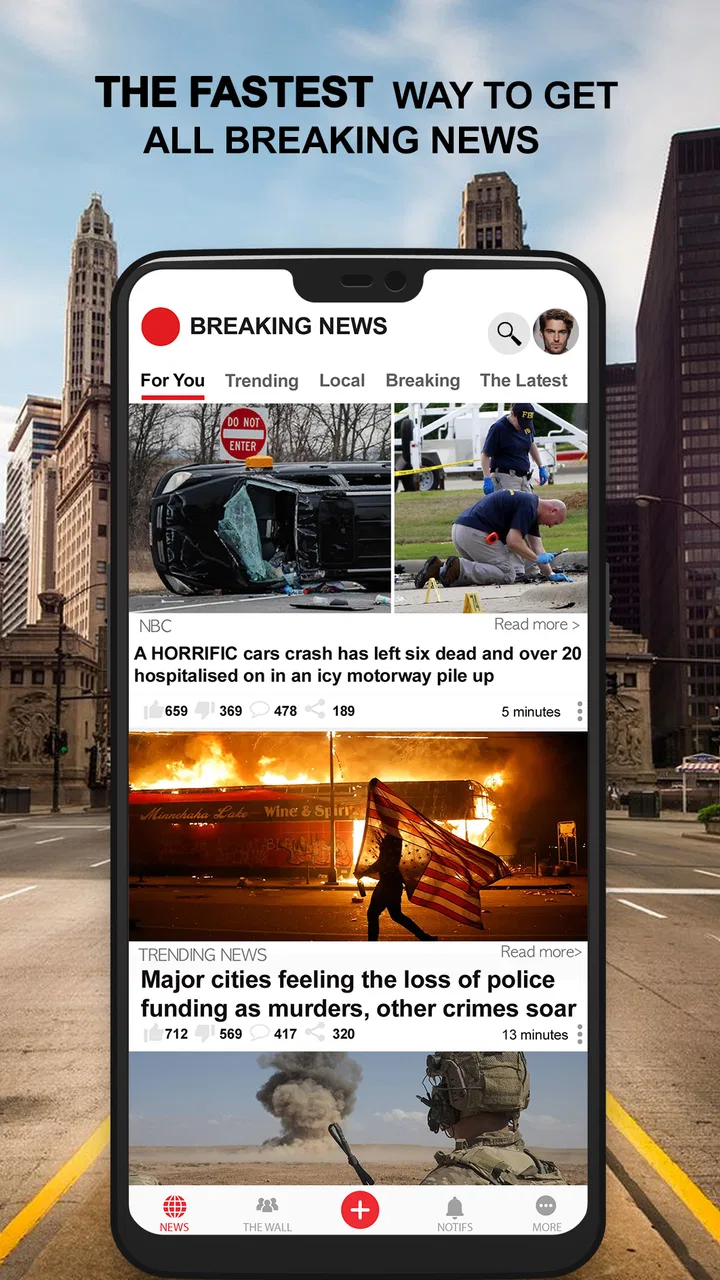
Breaking News: Local & Alerts
- 4.5
- Rating
- 10.00M
- Installs
- Free
- Price

 Analysis by App-foxy
I usually judge a news app by what happens when I need information quickly, not by how impressive its description sounds. Breaking News: Local & Alerts is aimed at that exact moment: checking what is happening nearby, scanning urgent headlines, and looking at the weather without opening several separate services. After spending time with it, I see it as a practical Android news companion rather than a complete replacement for every newspaper, broadcaster, or weather app.
The app comes from Beloud.com and sits in the News & Magazines category. It is free to use, rated for Everyone, and has grown to more than ten million installs. Its average score is 4.5 from around five hundred sixty-four thousand ratings, which suggests that its straightforward local-news purpose works for a large audience. It first appeared on July 21, 2017, and the current version is 11.1.22 for devices running Android 6.0 or later.
How quickly it feels useful when news changes
The strongest part of the experience is the short path between opening the app and seeing information that may matter to my day. I do not have to begin with a long article or a broad national homepage. The focus on local stories, breaking developments, and neighborhood weather makes the app most useful as a first check. If I wake up wondering whether conditions nearby have changed or whether something important is happening around me, this is the kind of app I can open before deciding whether I need a deeper source.
You May Also Like

 AccuWeather: Weather Radar
AccuWeather Review: A Quick, Clear Forecast for Everyday Decisions
For everyday plans, the best forecast is the one you can understand quickly. AccuWeather makes rain timing, radar, and local conditions easy to act on, with a few trade-offs.

 Hill Climb Racing
Why Hill Climb Racing Still Turns Crashes Into One More Run
A tiny car, a bumpy hill and one more upgrade: Hill Climb Racing keeps resurfacing because its simple chaos makes every near-miss feel personal.

 AliExpress - Shopping App
AliExpress Makes Global Shopping Feel Personal, but Shoppers Bear the Risk
AliExpress turns a global marketplace into a pocket-sized discovery engine. Its reach is useful, its shopping loop compelling, and its trade-offs easy to miss.

 Lords Mobile: Kingdom Wars
Lords Mobile Is a Kingdom-Building Routine, Not a Quick Match
A case-by-case verdict on the building, battles, device demands, and social commitments that make Lords Mobile rewarding for some players and exhausting for others.

 PDF Scanner app - TapScanner
TapScanner Makes Paperwork Easier to Capture, Check, and Share
TapScanner makes scanning with a phone feel less like a rescue operation and more like a dependable step in getting work done. Its capture tools are useful, though not flawless.

 Block Blast!
 Shows How Much a Puzzle Game Can Leave Out
A quiet grid game shows why puzzle players increasingly value instant clarity, repeatable skill and low-pressure play—and where the genre still needs to catch up.
More From Our News Desk
View All News


That speed should be understood as access speed, not a promise that every story will appear before every other outlet. Breaking news depends on reporting and updates from the sources behind the app, so I would not treat a notification or headline as the final word on a serious event. My practical habit is to use the app to spot a developing situation, then read the full report and compare details when the subject affects travel, safety, work, or family plans.
The local emphasis also changes how fast the app feels in everyday use. A general news reader can bury a nearby road problem or weather change under national headlines. Here, the neighborhood angle gives the first screen a more immediate purpose. That makes it less valuable when I simply want a long, leisurely reading session, but more valuable when I need orientation in a few seconds.
What the first check is good for
I think the app works best as a morning and interruption tool. In the morning, I can use local headlines and weather to decide whether to leave earlier, change an errand, or look for a fuller report. During the day, a breaking-news alert can tell me that something deserves attention. In the evening, it can help me catch up on nearby events without browsing several unrelated feeds.
A useful workflow is to avoid treating every headline as an article I must read immediately. I scan the local list, identify the items that could affect me, and open only those. This keeps the app from becoming another endless scroll. It also makes the neighborhood focus more meaningful: the app is not just filling spare time, but helping me filter what deserves a response.
One trade-off is that local relevance can make the experience feel quieter than a national news service. That is not necessarily a weakness. If I want constant headline volume, a dedicated national news app may feel livelier. If I want fewer stories with a better chance of being connected to my surroundings, this app has the clearer purpose.
How it behaves during heavy-use moments
The most demanding situation is not casual reading; it is an event when many people are checking updates at once. Severe weather, a major local incident, or a fast-moving public story can lead me to refresh repeatedly, switch between headlines and weather, and open several reports in succession. In that situation, the app’s value depends on how quickly I can regain context after each check.
I would use it as a monitoring layer rather than a full live newsroom. The local and breaking-news focus helps me notice that something has changed, while the weather element gives a second reason to keep it available. But during a serious event, I would still verify instructions through official local channels. A news aggregator can point me toward the right subject; it should not be my only source for evacuation guidance, emergency directions, or other high-stakes decisions.
Heavy use also exposes a common tension in news apps: alerts are helpful until they become distracting. I prefer to keep notifications meaningful and use the app for deliberate checks when I am busy. If every update interrupts work, driving preparation, or family time, the convenience turns into noise. The best experience comes from deciding in advance which kinds of breaking information deserve immediate attention and which can wait.
A realistic day with the app
Imagine that I am preparing for a commute and notice that the weather has changed. I open the app for a quick local check, scan the nearby headlines, and look for anything that could affect the route or timing. If I see a developing story, I open it for context rather than relying on the short headline. Later, I can return to see whether the story has developed, instead of searching the entire web from scratch.
That workflow is more useful than simply leaving a news feed open all day. It gives the app a defined role: a quick local dashboard that helps me decide what to investigate next. The non-obvious benefit is the reduced switching between services. I may still need a detailed weather tool, a map, or an official announcement, but this app helps me decide which one is worth opening.
For readers who follow a local area closely, repeated checks can be more efficient than a single long session. I can glance at the latest headlines, leave, and return when there is a reason. For readers who prefer a carefully edited daily briefing, the constant-update style may feel less satisfying. The app is built around immediacy, not a slow magazine-like reading experience.
Reliability, recovery, and trust in the information flow
Reliability has two sides here. The first is whether the app remains a dependable place to check local updates. Its long availability since 2017 and large install base make it feel established rather than experimental. The second is whether I can interpret what I see correctly. A breaking headline may be early, incomplete, or changing, so I consider it a signal to investigate rather than proof that the whole situation is understood.
When I return after missing an alert, I want to recover quickly. The local-news structure helps because I can start with the nearby feed instead of reconstructing the story from unrelated notifications. My advice is to open the full item when the subject matters and note whether later updates change the original framing. This is especially important for incidents that develop over several hours.
The app’s reliability is therefore strongest as a discovery and tracking tool. It can help me notice a story and keep it in view, but it does not remove the need for judgement. For political claims, public safety information, health news, or reports that could affect someone’s reputation, I would compare the article with a primary source or a trusted local publisher before repeating it.
Recovery also means recovering from interruption. News reading rarely happens in one uninterrupted session. I may open a headline, answer a message, and return later. The app is most practical when I treat each visit as a short scan rather than expecting to remember every item. A simple personal rule helps: save the important subject mentally, then check again later for an updated version instead of assuming the first alert is complete.
Where it is dependable and where I stay cautious
I trust the app most for awareness: what is happening locally, which subjects are developing, and whether weather deserves a closer look. I stay cautious when I need precise instructions, a complete timeline, or a definitive account. That distinction is not unique to this app, but it matters more here because the breaking-news promise naturally encourages fast reactions.
Another practical limitation is that local coverage will not feel equally useful in every place. The concept is naturally strongest for someone who has a meaningful neighborhood or local area to follow. If my interests are mainly international business, specialist technology, sports analysis, or long-form culture, I would choose a publication or reader designed around those subjects instead.
Device constraints and everyday resource expectations
The Android requirement is relatively broad: the app supports devices from Android 6.0 onward. That makes it accessible on older phones that cannot run some newer applications. I would still keep expectations realistic on an aging device. The operating-system requirement tells me the app can install there, but it does not guarantee that every older phone will feel equally quick when several apps are open or when the connection is weak.
News applications are often checked in short bursts, so I value a light, uncomplicated routine. I would open the app, scan local headlines, inspect weather, and close it when finished. That pattern is less demanding than leaving a feed running continuously. It also reduces the chance that constant notifications or repeated refreshing will become a drain on attention, regardless of the phone being used.
On a newer device, the main resource cost is likely to come from the way I use a news app rather than from reading a few headlines. Repeated refreshes, opening many articles, and allowing frequent alerts can make any news service feel intrusive. I recommend beginning with a restrained notification setup, then increasing it only if the alerts genuinely help. This is a better approach than accepting every interruption and trying to regain control later.
Older Android users should also consider storage and general device condition before installing any contemporary app, even one that supports an older operating-system version. A phone with limited free space or many background processes may make loading feel slower. That is a device-management issue as much as an app issue, but it affects whether this particular quick-check workflow feels convenient.
Who should use it, and who should choose something else
I would recommend it to someone who wants local awareness without assembling a separate collection of publisher apps. It is especially suitable for people who check neighborhood developments, want breaking headlines close at hand, and appreciate having weather in the same news-oriented routine. The free price and Everyone rating also make it easy to try without turning the decision into a financial commitment.
I would be more hesitant to recommend it as the only news source for someone who needs deep reporting, specialist coverage, or carefully organized newsletters. A dedicated newspaper app may be better for full articles and editorial depth. A standalone weather service may be better for detailed forecasts. An official local channel may be better for emergency instructions. The advantage here is convenience across local news and weather, not dominance in every individual category.
It may also be a poor fit for a reader who dislikes alerts or prefers to control news consumption through a single daily edition. The app’s purpose is tied to change and immediacy. If I want to avoid developing a habit of checking updates, a slower, curated source would probably suit me better.
My performance verdict after regular checks
My overall impression is that Breaking News: Local & Alerts succeeds when I use it as a focused local lookout. Its perceived speed comes from putting nearby developments and weather close together, so I can make a quick decision without starting a broad search. Its large audience and established history give it the feel of a mature everyday utility, while support for Android 6.0 and later keeps it relevant to a wide range of phones.
The app is not a substitute for verification, official instructions, or specialist journalism. The more serious the story, the more I would use its alert or headline as the beginning of my research. That limitation is important, but it does not cancel the app’s usefulness. In ordinary life, the first challenge is often noticing that something changed; this app is designed to help with that first step.
My recommendation is simple: use it as a fast local dashboard, not as your entire news diet. Keep notifications purposeful, read beyond the headline when the subject matters, and switch to a dedicated source when you need depth or authority. For someone who wants free access to nearby breaking news and weather in a single Android app, it is a sensible choice. For someone seeking long-form reporting or highly specialized forecasts, another tool will be the better companion.
In the end, I like the app because its role is easy to understand. I can open it for a quick neighborhood check, return during a developing event, and then move on with my day. That focused workflow is its real strength. It does not need to replace every service on my phone; it only needs to make local awareness faster and more convenient, and in that specific job, it earns a place in my routine.
FAQs for Breaking News: Local & Alerts
01What features does Breaking News: Local & Alerts offer?
Breaking News: Local & Alerts provides real-time news updates, personalized alerts, and access to local and global news stories. The app is designed to keep users informed with push notifications and customizable news feeds, allowing them to tailor the content according to their interests and location. It also includes multimedia content like videos and images.
02Is Breaking News: Local & Alerts free to use?
The app offers a free version with basic features, including access to news stories and alerts. However, there might be in-app purchases or subscription options available for premium features like ad-free browsing, exclusive content, or advanced customization options. It's advisable to check the app store listing for detailed pricing information.
03How do I customize my news alerts in Breaking News: Local & Alerts?
Users can customize their news alerts by adjusting settings within the app. This includes selecting preferred news categories, setting notification preferences, and choosing specific locations for local news. The app’s intuitive interface makes it easy to manage these settings under the personalization or settings menu.
04Does Breaking News: Local & Alerts require an internet connection?
Yes, Breaking News: Local & Alerts requires an internet connection to update news feeds and send real-time alerts. While some content might be cached for offline viewing, the app relies on a stable internet connection to provide the latest news and updates on demand.
05Is my personal information safe with Breaking News: Local & Alerts?
The app prioritizes user privacy and security. It typically collects minimal personal information needed to personalize the experience, such as location data and preferences. Users can review the privacy policy and manage permissions in their device settings to ensure their data is handled securely.
Pros
- Easy-to-navigate interface.
- Real-time news updates.
- Customizable alert settings.
- Wide range of news categories.
- Offline reading available.
Cons
- Ads can be intrusive.
- Limited offline content.
- Occasional app crashes.
- Requires stable internet.
- Some features are premium.

Breaking News: Local & Alerts
Gallery